Brick Builder
Build a city brick by brick, then press play and live in it
Your saved progress: 0 XP across 0 games · view or move it to another device
Build · Learn · Play
Build your dream
cities.
Start from bare ground, shape land and water, drop in roads, rail and towers — then walk, drive and ride through everything you made.
- 01Pick a piece
- 02Build anything
- 03Press play
 01Passenger railway02Every piece editable03Walk inside your world
About Brick Builder
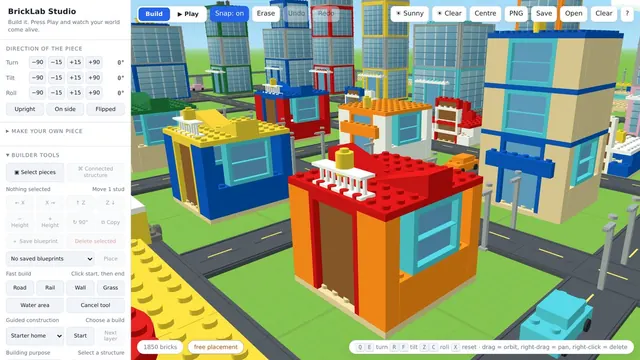
Brick Builder is the creative end of the catalogue: a 3D brick building game where you place pieces on an open canvas, shape the terrain and water underneath them, and then press play to walk, ride and live through whatever you have made. Bricks snap together by stud but rotate freely, so a structure can lean the way you want it to rather than the way a grid insists.
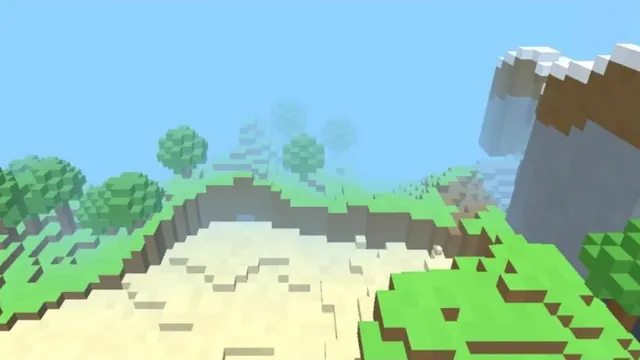
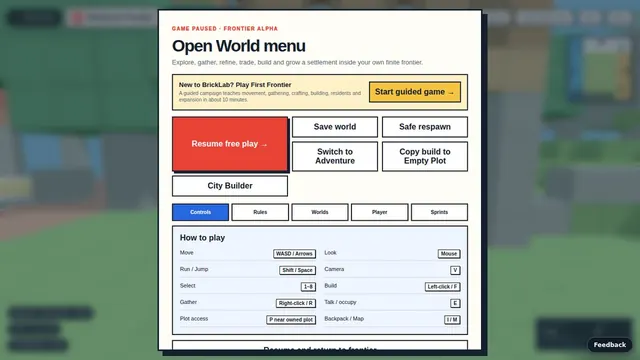
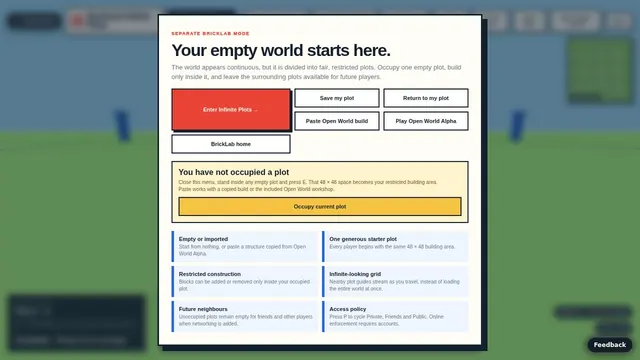
It runs in four modes that share one builder. Dream Cities is the creative competition — build to a themed challenge, publish it, and let other people walk through it. Frontier RPG turns building into survival, with resources to gather, settlers to employ and raids to defend against at night. Infinite Plots is the quiet one, where you claim 48 by 48 plots in an empty world and build with no goals and nothing to survive. Open World is a solo frontier where you claim plots, gather, trade and grow a settlement.
It is the largest thing on this site by some distance, and the only game here that takes a moment to load — it is a full 3D engine rather than a single page of canvas code. Give it fifteen seconds on first open.
How to play Brick Builder
Start in Dream Cities if you have not built before. Pick pieces from the palette, click to place them, and drag to orbit the camera so you can see what you are doing from every side. Pieces snap when a stud comes near a socket, so you can build quickly without lining anything up by hand, and free rotation is there when snapping is not what you want.
When the structure is finished, press play. Physics switches on, moving parts start moving, and you can walk or drive through the thing you just built — which is also the fastest way to find out that your bridge does not hold. Build, play, fix, repeat.
How to play Brick Builder
- Open the page on a desktop or laptop and allow about fifteen seconds for the 3D engine and piece library to load the first time.
- Choose a mode. Dream Cities is the gentlest place to begin if this is your first build.
- Shape the bare ground before adding anything to it. Shape the land and add water, so your buildings and roads sit on terrain rather than a flat board.
- Pick a piece from the palette and click to place it. Drag to orbit the camera and check the build from every side as it grows.
- Add roads, rail and towers. Every piece stays editable, so you can return to an early part of the city and change it without starting again.
- Press play. Walk the streets, drive the roads and ride the railway. If something gives way or does not join up, go back to building, fix it, and play again.
Brick Builder tips and strategy
- Plan the water early. Rivers and coastlines decide where bridges and rail lines have to go, so shaping them first saves tearing up a finished street later.
- Lay transport before towers. In play you walk, drive and ride through the city, so routes are what make it work. Fit the buildings around the roads and railway, not the other way round.
- Edit rather than rebuild. Because every piece can be edited after it is placed, a wall in the wrong spot is a quick adjustment, not a reason to clear the area.
- Test small structures on their own. Before linking a bridge into a whole city, press play and cross it. One weak span is much easier to find in isolation.
- Use the showcase worlds for ideas. The gallery is made of real player builds, so studying how someone else handled a station or a hillside shows you what the builder can do.
- Remember moving parts. When physics switches on, moving parts start moving. Leave them room to travel so they do not jam against nearby pieces.
What makes Brick Builder different
Most brick builders stop when the model is finished. Brick Builder treats the finished model as the start of the next stage. Once you press play your city becomes somewhere to explore: the passenger railway carries you along the line you laid, the roads take a vehicle, and you can walk around inside the world you made. That changes how you build, because you start thinking about how a place will feel from street level, not only how it looks from above.
It also rewards patience. With terrain, water, free rotation and a full 3D engine underneath, a city can be as rough or as detailed as you like. Players who enjoy tinkering, testing and improving a single project over several sessions will get the most from it, and the four modes give that project somewhere to go once the city feels complete.
About this game
More building games
Recently added
Brick Builder rankings
This game reports no score of its own, so the board ranks time actually spent playing it — counted only while the tab is in front of you and you are playing, and capped each day. Today resets at midnight IST, the week resets on Monday.
Loading…
Brick Builder — frequently asked questions
Is Brick Builder free to play?
Yes, and it runs in the browser with nothing to install. Some modes reference an account for saving and publishing your builds, but you can open it and start building without one.
Why does it take longer to load than the other games?
It is a full 3D engine rather than a single-file canvas game like most of the catalogue. The first load pulls in the renderer and the piece library, which takes around fifteen seconds. After that it is quick.
What are the four modes?
Dream Cities is themed building challenges you can publish and have others explore. Frontier RPG adds survival — gather resources, employ settlers, defend the settlement at night. Infinite Plots is an empty world with no goals, where you claim 48 by 48 plots and simply build. Open World is a solo frontier where you claim plots, gather, trade and expand.
Do my builds get saved?
Builds you publish are stored, and the showcase worlds in the gallery are real player builds rather than renders. Progress carries through a single BrickLab identity across the modes.
Does it work on a phone?
Not well. Placing bricks in 3D wants a mouse and a reasonably large screen, so a desktop or laptop is the honest recommendation.
Can I travel around the city I build?
Yes. After you press play you can walk through your build, drive along the roads and ride the passenger railway.
Can I change a piece after placing it?
Yes. Every piece stays editable, so you can adjust or replace part of a build without starting over.
How is Brick Builder different from BrickLab Studio?
They share the same construction engine. Brick Builder is the friendlier front door with showcase cities and the four modes, while BrickLab Studio exposes the full toolset, including blueprints, fast build tools and PNG export.
Tell us what to fix
Found a bug, or think something should play differently? This goes straight to the developer — no account, no email address required.