Quiz Live
Everyone on their own phone, and the faster you answer the more you score
Playing alone, or without a connection? Quiz Party is the single-device version, where you can write and save your own quizzes.
Your saved progress: 0 XP across 0 games · view or move it to another device
About Quiz Live
Quiz Live is a quiz for a group where everyone answers on their own phone. Eight questions, four options each, and a clock that matters: a correct answer is worth 500 points plus up to 500 more depending on how much time was left. A room that all knows the answer is still separated by who knew it first.
The reason this is worth playing online rather than passing one phone around is secrecy. In a single-screen quiz the correct answer sits in the page, one devtools panel away from anyone curious. Here the answer stays on the server until the question closes — there is nothing on the wire to look at.
Answers lock when you pick, so there is no changing your mind once the room starts reacting. If everybody answers early the question closes early rather than making the room wait out the clock.
How to play Quiz Live
Press quick play or create a private room and share the five-letter code. Rooms seat twelve, and a full room sends the next player to a fresh one. Bots take empty seats while the room fills — tagged AI, and they answer at a plausible rate rather than perfectly.
A question appears with four options and a draining bar. Tap your answer; it locks and you wait. When the question closes, the correct option turns green and you see what you scored. Scores are shown after every question, so the standings move in front of everyone.
How to play Quiz Live
- Enter a name on the home screen. It is saved on your device and shared with the site's other live games, so you only type it once.
- Choose ⚡ Quick play to be seated in any open room, or 🔑 Create a private room and pass the code round your group. Friends type it into the CODE box and press Join ▶.
- The room screen shows the code and the players seated so far. The first question follows shortly, so there is no host button to press.
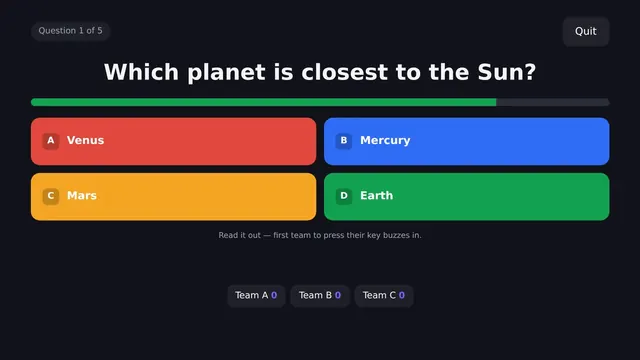
- Each question shows a header such as "Question 3 of 8 · 4 answered", the question itself, four coloured options and a timer bar that drains as the seconds pass.
- Tap an option. Your choice is highlighted and the message "locked in — waiting for the others" appears.
- When the question closes, the right answer is marked and you see "correct!" with your points, "wrong" or "no answer". After a short pause of around four seconds the next question begins, and after the eighth a Final scores screen names the winner.
Quiz Live tips and strategy
- Watch the answered counter. The "answered" figure in the header updates as people lock in. If most of the room has already answered, the question may close at any moment, so commit to your best guess.
- A second of thought costs about 28 points. The speed bonus of up to 500 is spread across eighteen seconds. Taking two seconds to rule out a wrong option costs around 55 points, which is a good trade if it turns a coin-flip into a sure answer.
- A slow right answer still beats most of a fast one. Even an answer given as the bar empties is worth 500, more than half of a perfect score. If you half-know it, use the time rather than panic-tapping.
- Use the pause between questions. The seat list is sorted by score, and the four-second reveal is your chance to see who is just ahead and how big the gap is.
- Trust the bar, not your phone's clock. The timer bar is synced to the server's time, so everyone in the room sees the same countdown even if their phone clocks differ.
- Keep an eye on the connection badge. A red ping or "reconnecting…" means your network is struggling. Move somewhere with better signal before the next question rather than during it.
Quiz Live or Quiz Party?
The site has two quiz games that look alike but suit different evenings. Quiz Live is the one for people who are not in the same place, or who are but each want to answer privately on their own phone. Each game is short: eight questions at eighteen seconds each, from a built-in set, with up to twelve players in a room. It works well as a warm-up on a video call or a quick contest in a break, and if a group is larger than twelve, the overflow simply gets a second room running alongside.
Quiz Party is better when one person wants to host with their own questions on a shared screen, with teams buzzing in on the keyboard. A good rule of thumb is that if you want to write the questions, you want Quiz Party; if you want everyone playing within a minute with nothing to prepare, you want Quiz Live.
About this game
More party games
Recently added
Quiz Live rankings
This game reports no score of its own, so the board ranks time actually spent playing it — counted only while the tab is in front of you and you are playing, and capped each day. Today resets at midnight IST, the week resets on Monday.
Loading…
Quiz Live — frequently asked questions
Can players see the correct answer early?
No. The answer is withheld by the server until the question closes — it is not in the page, so there is nothing to inspect. That is the main advantage over a one-screen quiz.
How is scoring worked out?
A correct answer scores 500 points plus a speed bonus of up to another 500, based on how much of the clock was left. Answer instantly and you get close to 1000.
Can I change my answer?
No — your first pick locks. That is what makes answering early a real decision rather than a free guess.
How many questions?
Eight per game, drawn in a random order, with eighteen seconds each. If everyone answers early the question closes early.
Can I write my own questions?
Not in the live version yet — it runs from a built-in set. The single-screen Quiz Party on this site does let you write and save your own quizzes.
Is it free?
Yes, with no account and nothing to install.
What happens if I do not answer before the bar runs out?
You score nothing for that question and the reveal shows 'no answer'. There is no further penalty, and you carry on with the next question as normal.
Can I see how many people have answered?
Yes. The header above each question shows a live count of how many players have already locked in.
How do we play another round with the same friends?
Play again sends you to quick play, which may seat you with different people. To keep your group together, create a new private room and share the new code.
Tell us what to fix
Found a bug, or think something should play differently? This goes straight to the developer — no account, no email address required.